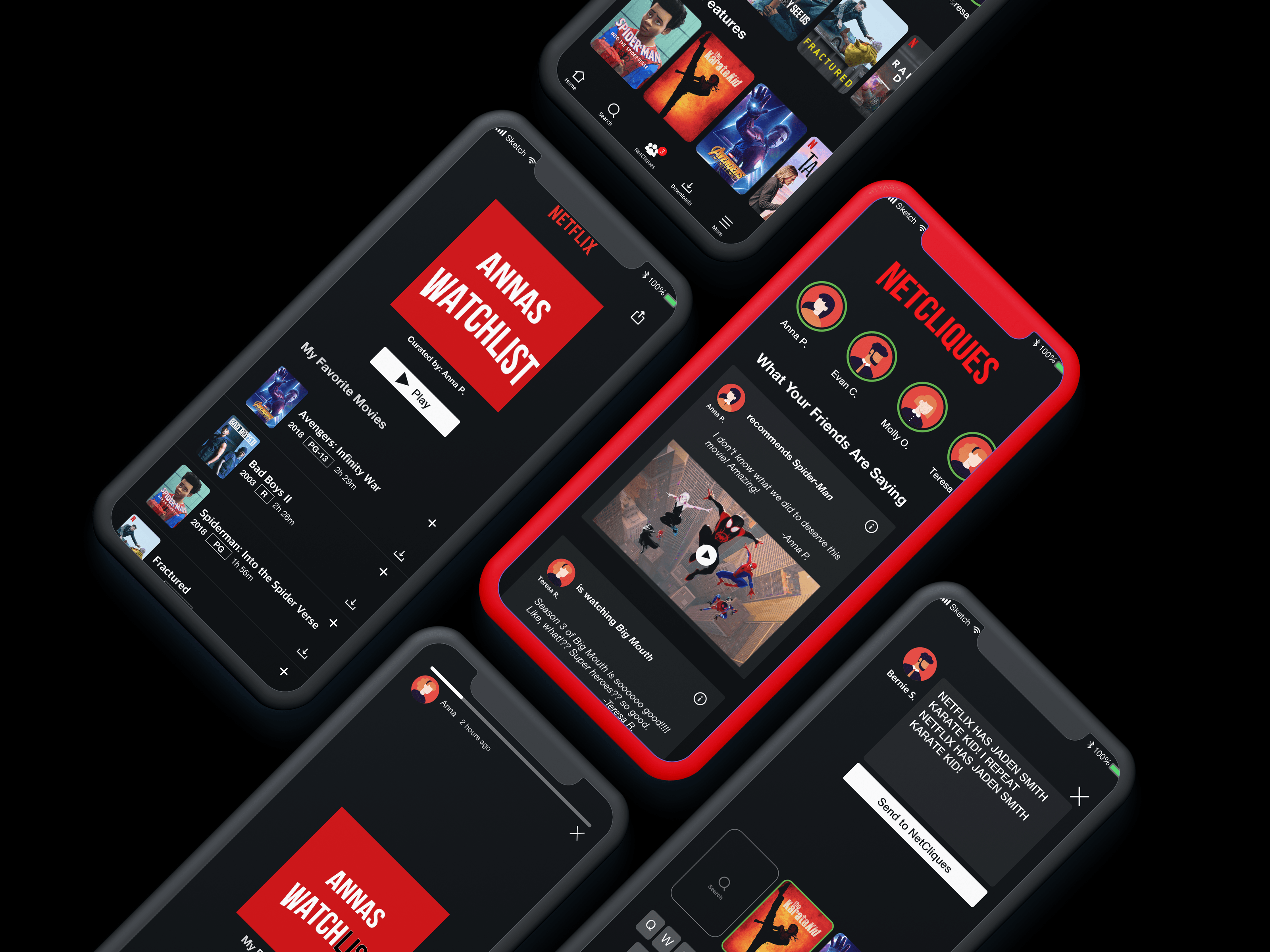





NetCliques mobile prototype screens arranged on a dark background

NetCliques
Mobile Feature

How can we integrate a feature on the mobile app that will allow viewers to share their suggestions on social?

NetCliques Mobile Feature

Client

Netflix

Consumer Entertainment · Concept Sprint

Role

UX Designer

Category

  • Mobile Design
  • Prototyping
  • UX Research

Year

2019

The Opportunity

Bringing social discovery into Netflix

I saw an opportunity to make streaming discovery more social. While Netflix made it easy to find something to watch, there was no built-in way to discover and share recommendations through the people whose tastes you trust.

As a team of three, we explored that opportunity through NetCliques, a mobile concept that brings social discovery into the existing Netflix experience, allowing members to share recommendations with friends and family who have similar viewing interests.

Process

Design Approach

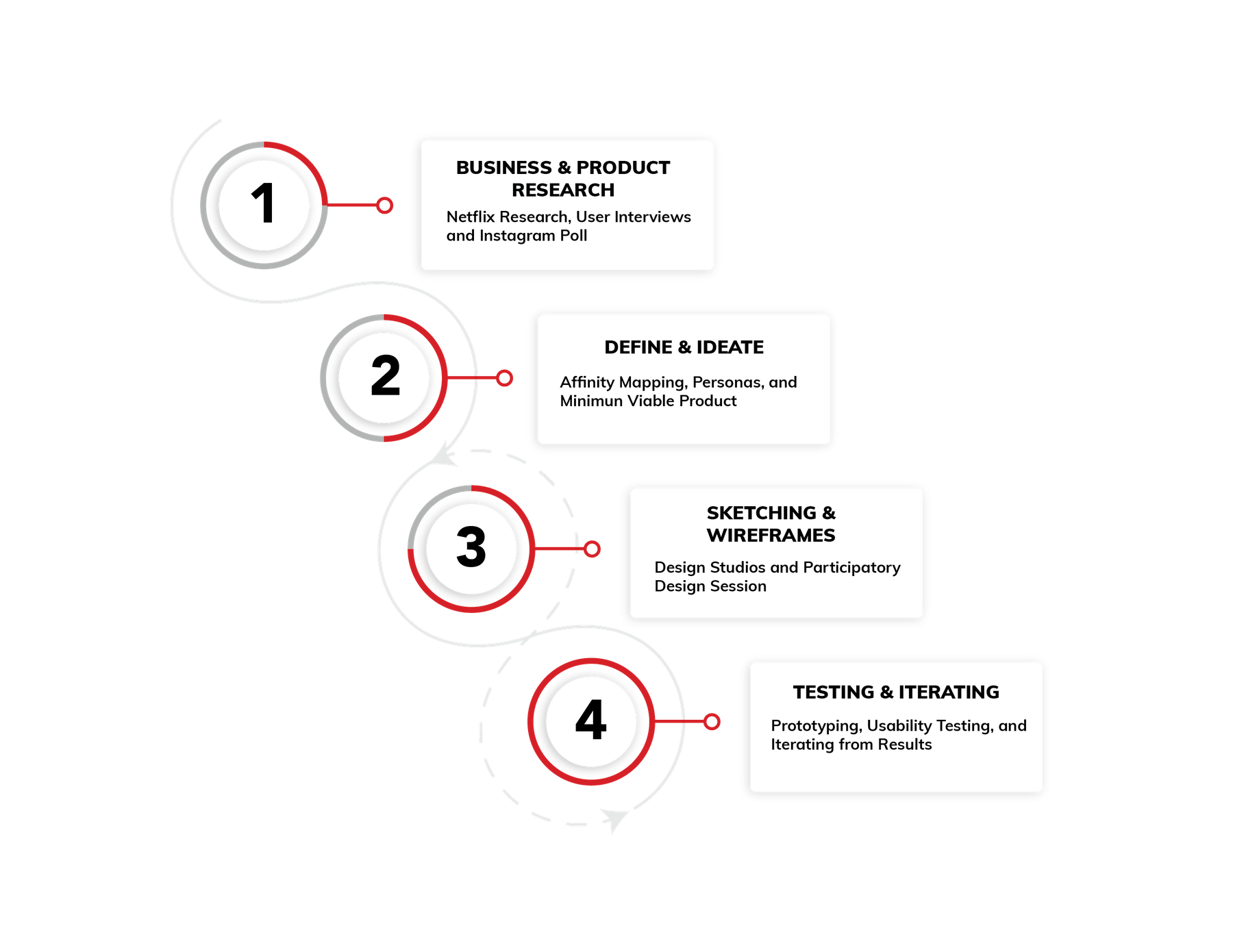
From research to a shareable prototype

Four-phase process: Business and Product Research, Define and Ideate, Sketching and Wireframes, Testing and Iterating

Research

User Research

Understanding how people share what they watch

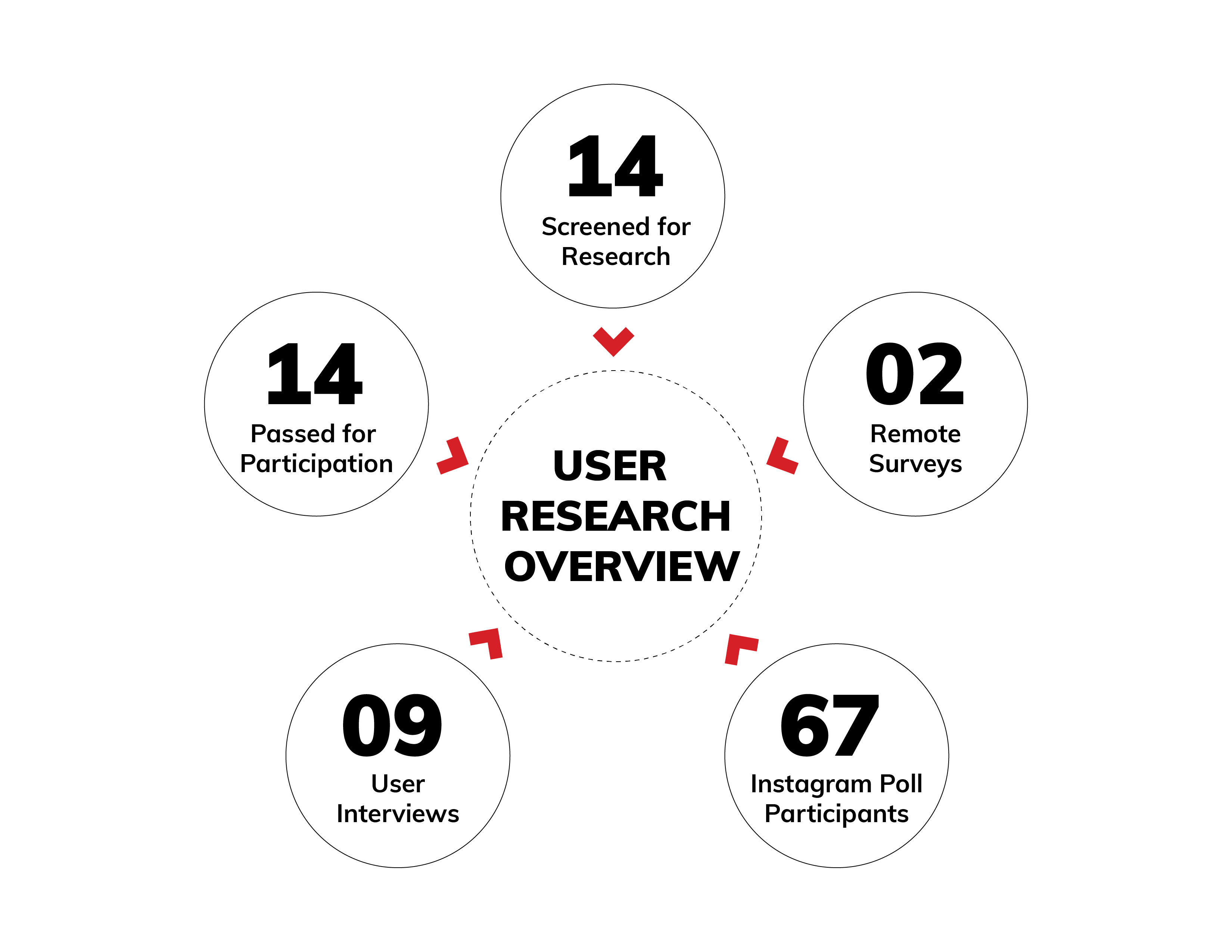
We screened participants, ran interviews and surveys, and used Instagram as a lightweight research channel to understand how Netflix and social media already overlap in daily habits.

Research overview graphic with five red chevrons arranged around a center point

Understanding the user

Watch Us Affinity Map !

Through user interviews, we found a correlation with Netflix users that are also active on social media. Users often find new things to watch from word of mouth and what they see on social media.

Some user insights

  • I am most active on Instagram.

  • On Instagram, I immediately go to people's stories.

  • My friends and I share similar interests.

  • I like receiving recommendations from my friends.

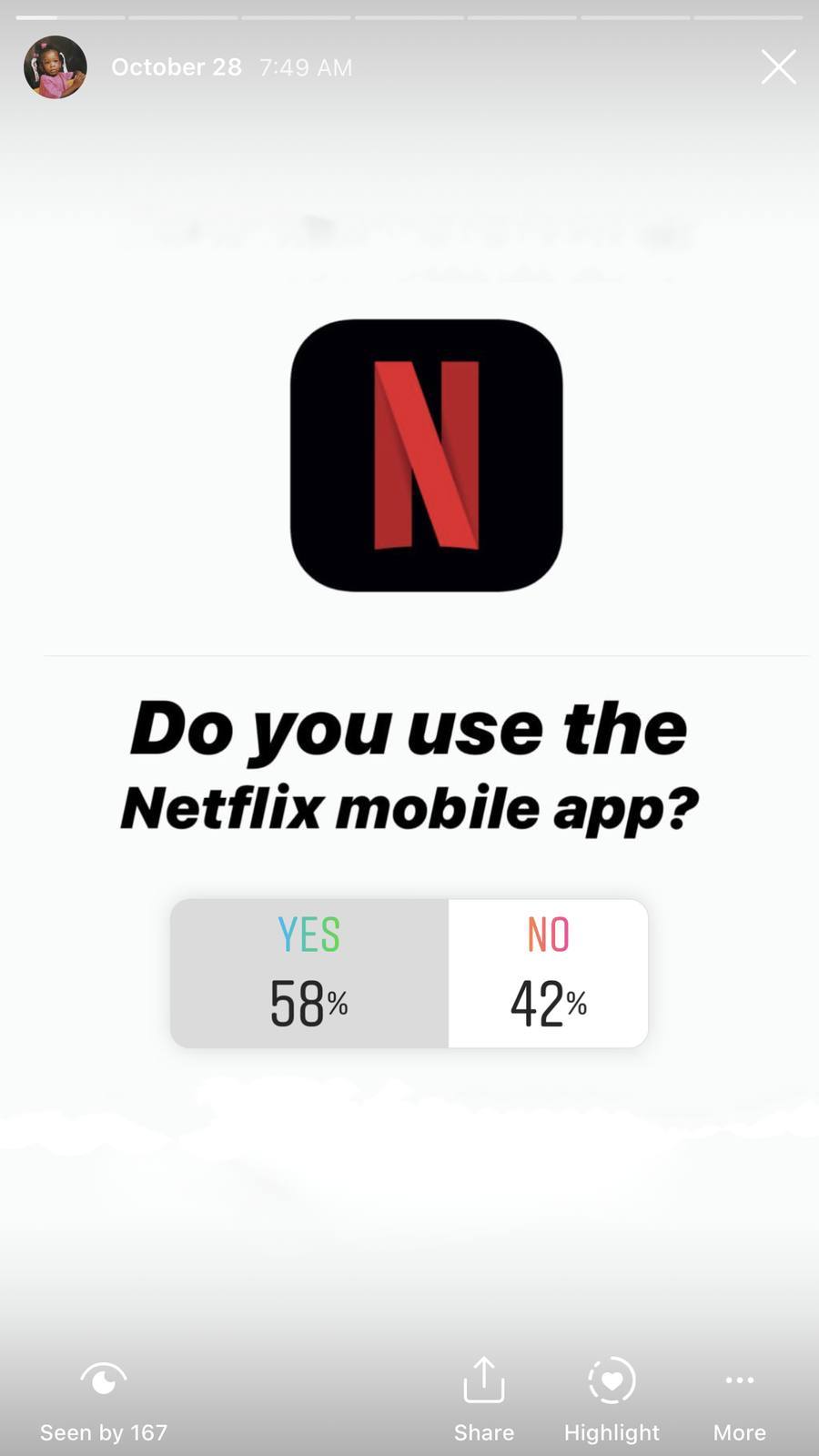
Instagram Poll

With 67 Participants

Instagram story poll asking Do you use the Netflix mobile app, with YES 58 percent and NO 42 percent
58%

Have the Netflix mobile application and uses it

42% Do not use the mobile app

71%

Who don't use the mobile application watch on their laptop or TV

29% Do not have the app downloaded

78%

Enjoy receiving Netflix recommendations from friends via Instagram, Twitter, etc

22% Do not want recommendations

Who we designed for

Personas

Two archetypes anchored decisions: casual viewers who struggle to pick, and power users who curate and influence.

Illustration of a casual Netflix viewer

The Casual User

Behavior

Indecisive; scrolls through the endless choices on Netflix and usually rewatches shows and movies they are familiar with.

Goals

Queuing up shows/movies to watch coming from trusted recommendations to make it easy to pick what to watch next.

Illustration of a power Netflix viewer and curator

The Power User

Behavior

The ultimate binge watcher and expert on all of the new and old shows/movies on Netflix.

Goals

Creating curated playlist of TV and movie recommendations for friends and family.

MVP

Balancing business goals with user needs

The Minimum Viable Product

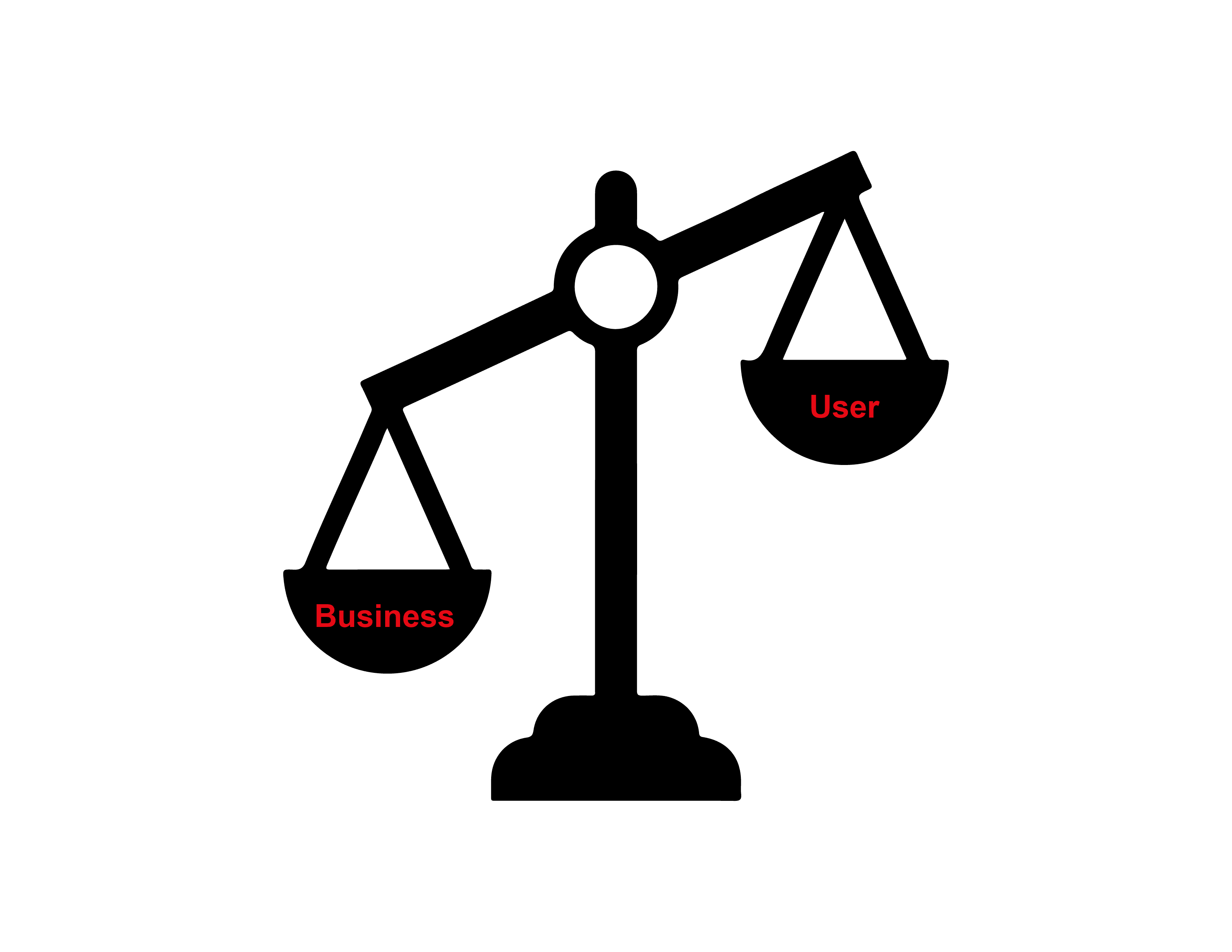
Balance scale with Business on the lower left pan and User on the higher right pan

The initial user research uncovered an area of opportunity to add a social component to Netflix, including the ability to add comments, and a hashtag integration using Twitter.

However, for the MVP we decided to focus on a recommendation feed, and a new home screen, featuring the Instagram integration.

Findings

01

A correlation with Netflix users that are also active on social media

02

Users often find new things to watch from word of mouth and what they see on social media.

Design

Ideation

Sketching

Based on our user research and obligation to keep within brand guidelines, we sketched ideas to test various recommendation screens that drew from the already existing mobile application interface.

We also pulled from our research to include known design patterns that would make the learnability seamless for the users.

Wireframes

Identifying the Structure

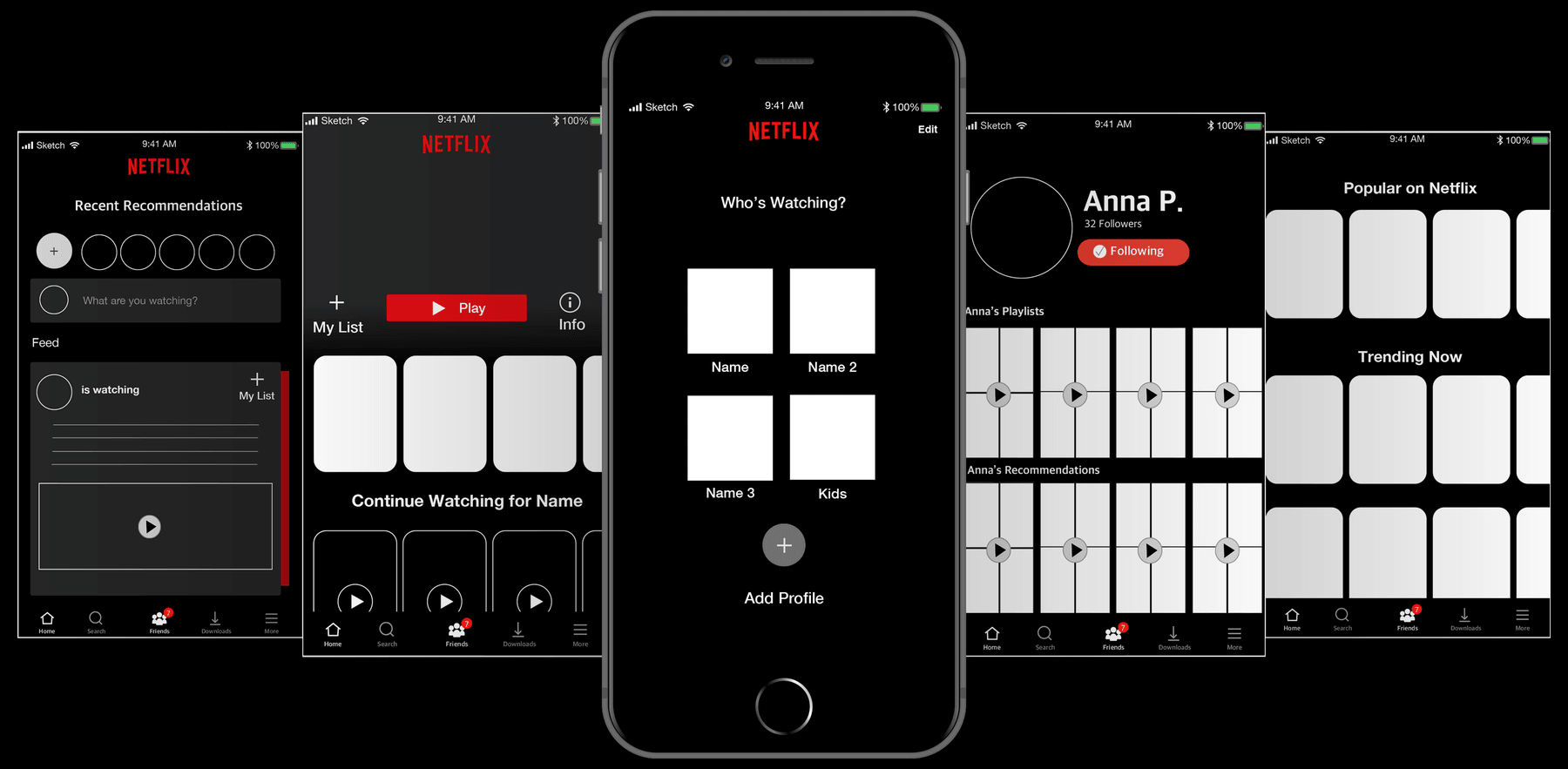
Our initial wireframes focused on identifying Netflix's structure. We integrated a user profile and a recommendation feed that seamlessly abides by Netflix's brand guidelines.

Wireframe phones for Recommendations, Home, Sign In, Profile, and Browsing

Recommendations

Home

Sign In

Profile

Browsing

Participatory Design Studio

Iterations

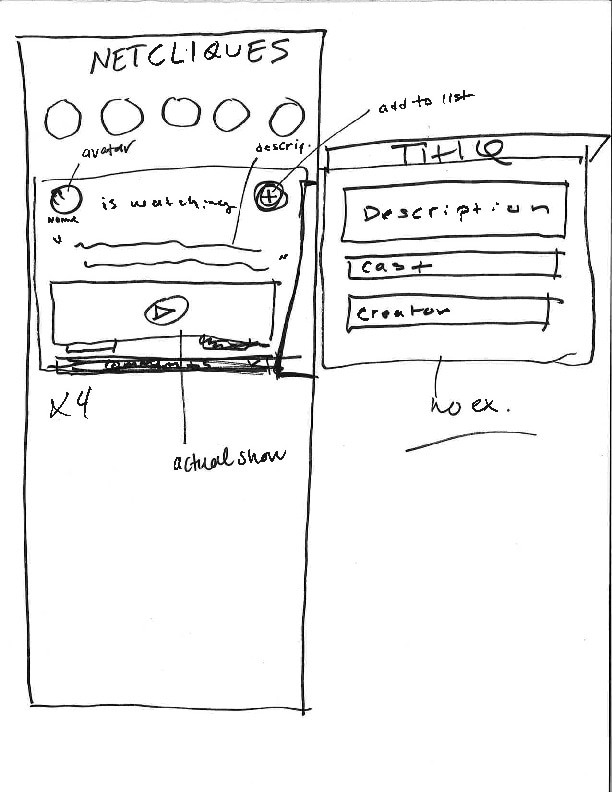
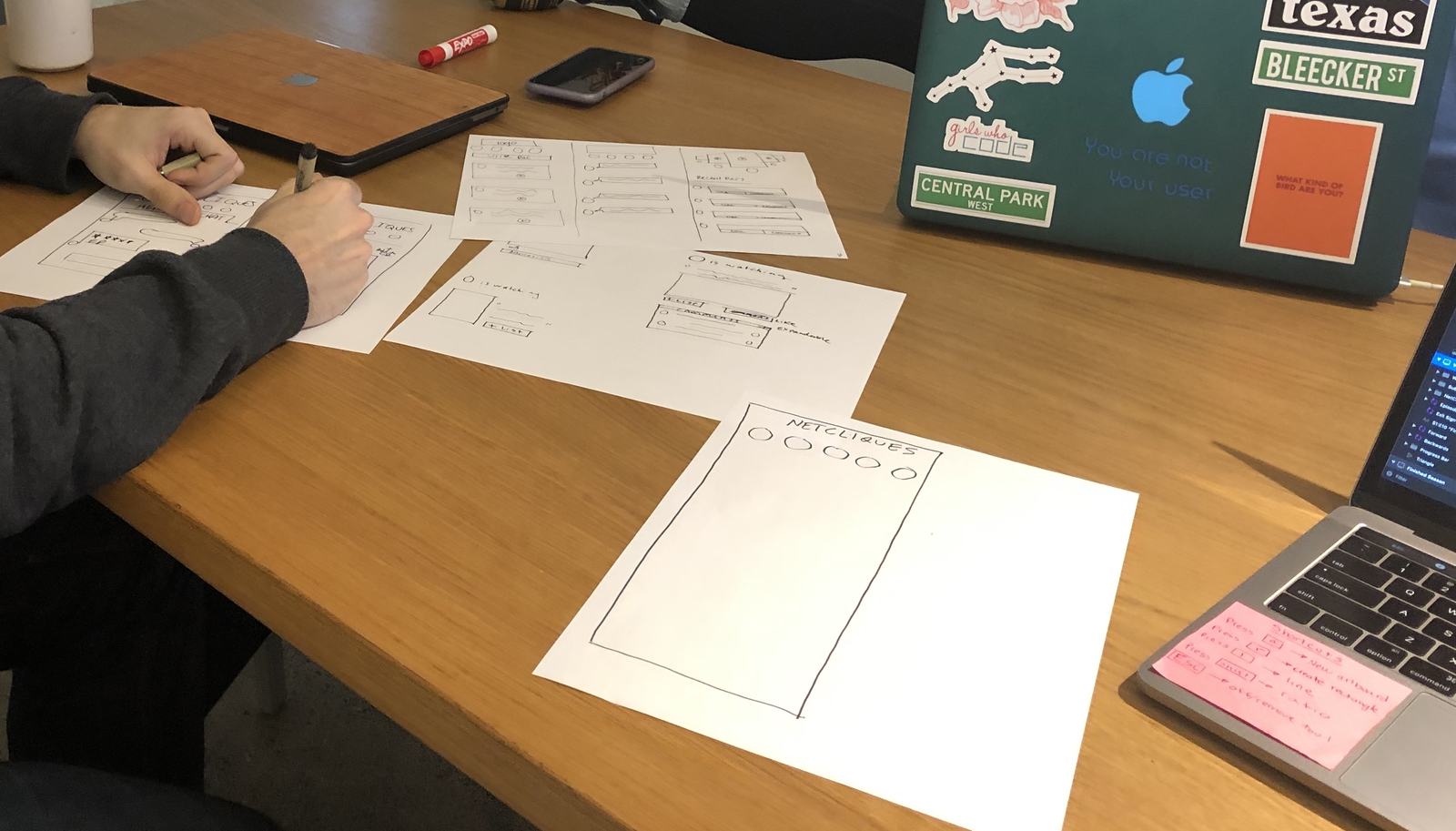
While reviewing and testing our wireframes, we came to the consensus that we needed to simplify the recommendations feature. We brought in 3 users in a participatory design studio to contribute their ideas and with those results, conducted a second design studio to iterate our feature with new designs.

User Insights

  1. 01

    I would like to see a photo, video, or movie poster

  2. 02

    What my friends thoughts are about the show/movie

  3. 03

    Quick background information about the show/movie

  4. 04

    Shortcuts to watch the recommended show/movie

Studio evidence

Hand-drawn NetCliques wireframe from the design studio
Studio sketch
Hands sketching NetCliques ideas during the participatory design studio
In the room

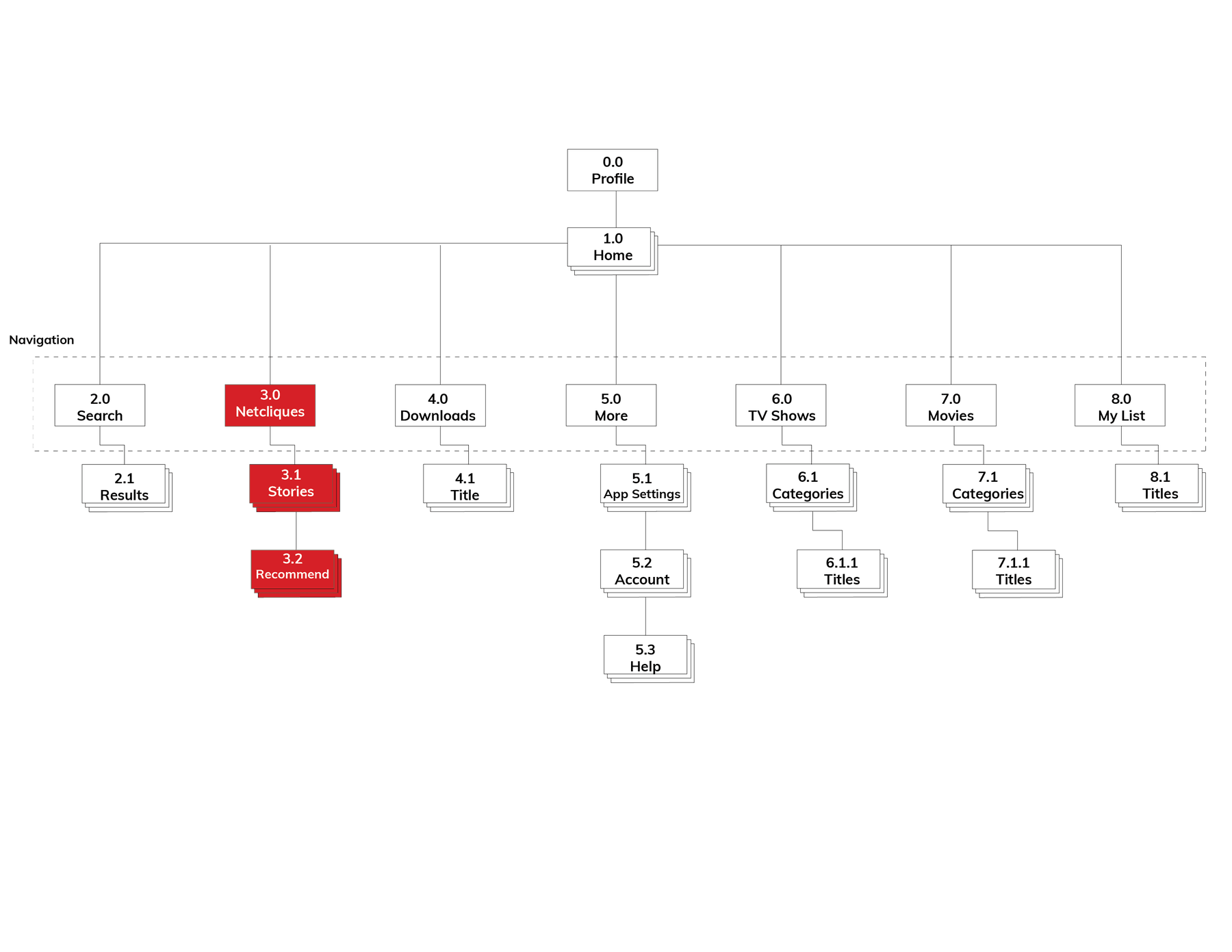
Future state app map

NetCliques sits in the main navigation with Stories and Recommendations so the social layer extends Netflix structure instead of competing with Search, Downloads, and My List.

Future state app map with NetCliques, Stories, and Recommendations highlighted as the new feature

Solution

Making recommendations more social

Final Concept

By focusing on the MVP and developing a TV and movie recommendations feature, we believe that Netflix users will feel a greater sense of community and connection.

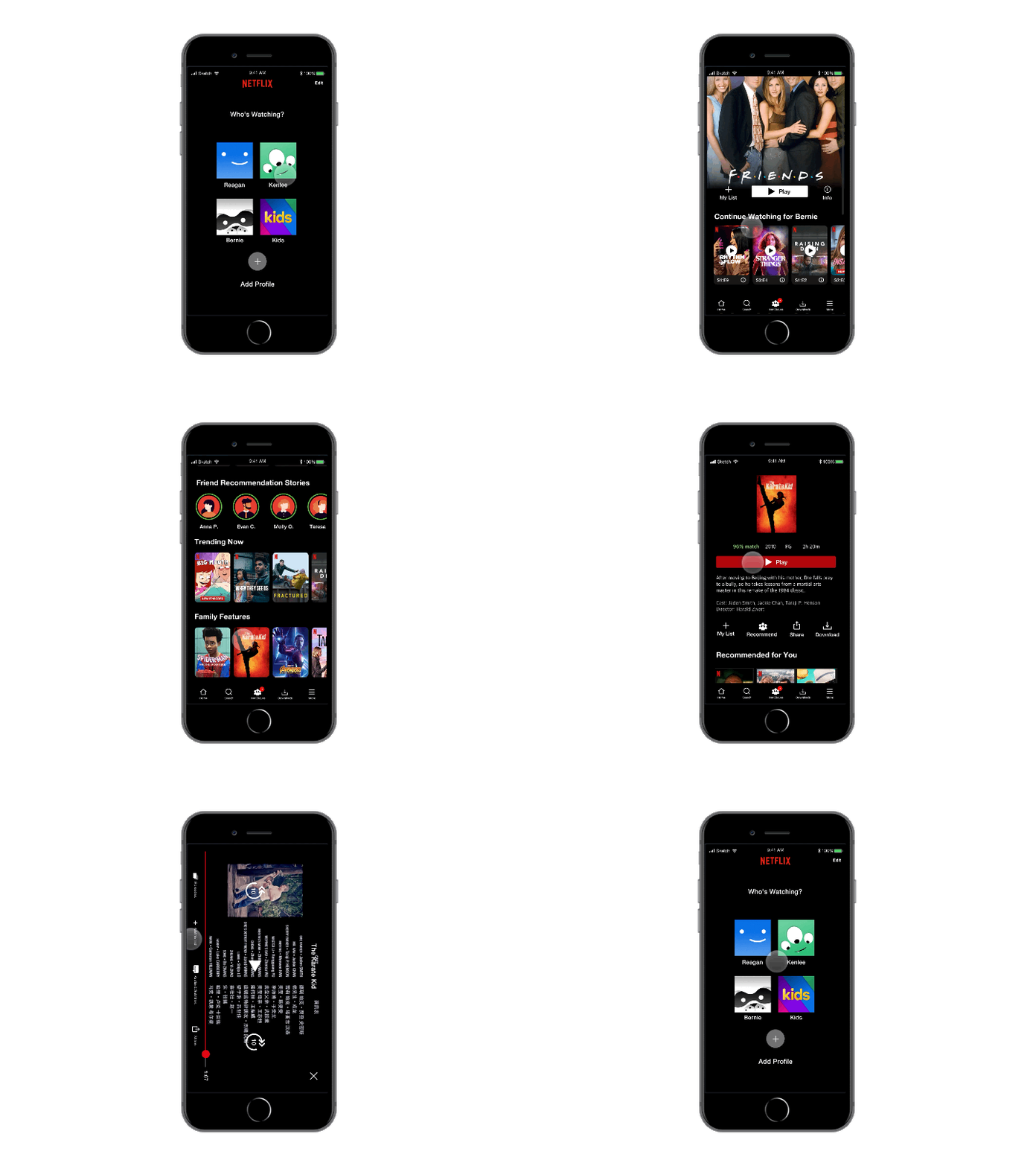
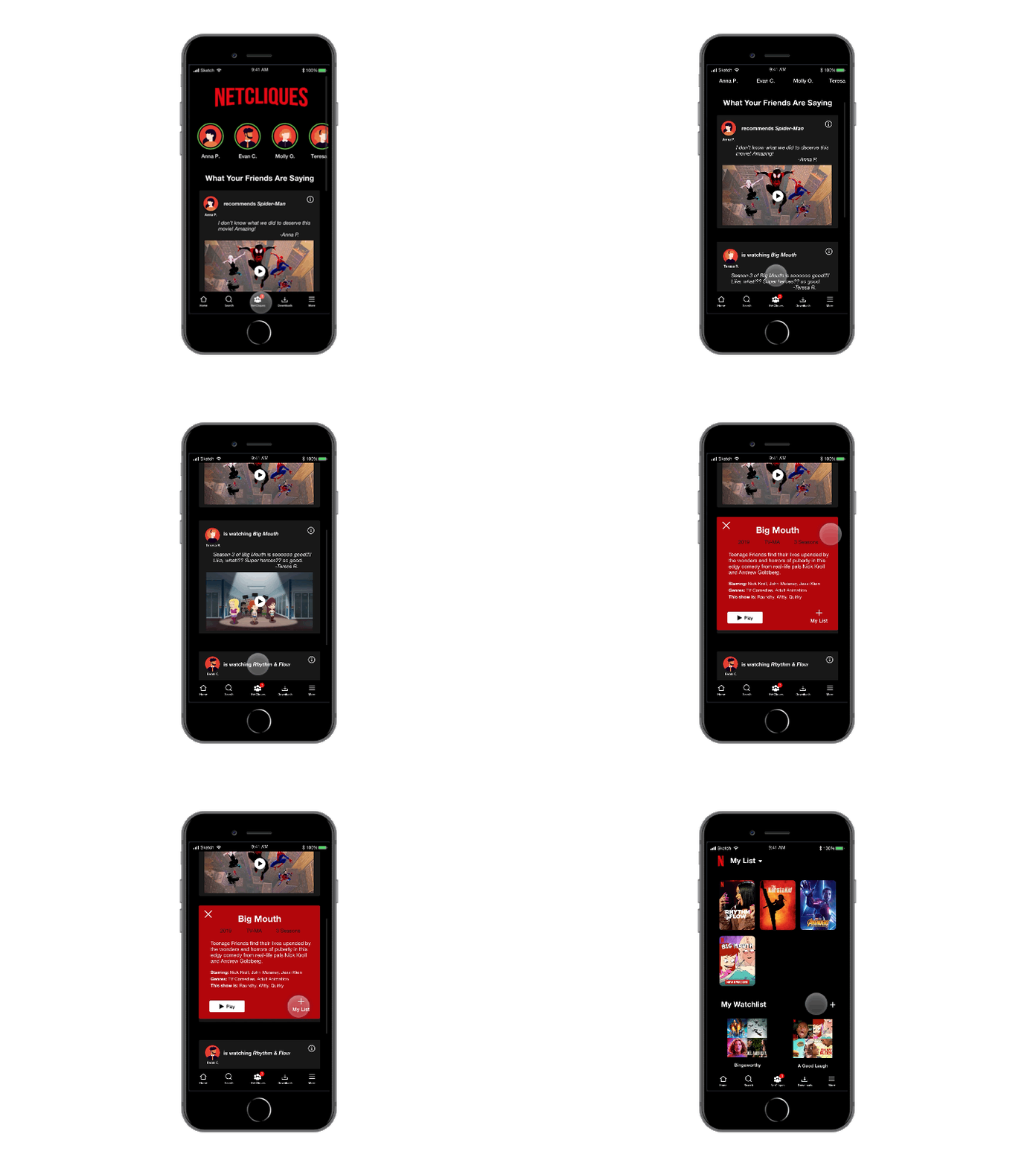
Hi-fi prototype: selecting a profile then browsing and adding titles toward a favorites watchlist

Watching a movie and adding it to 'Favorite Movies' watchlist

After the user watches a movie, or TV show, they have the capability of adding it to their 'watchlist'.

The purpose of the watchlist is for the user to curate as many different list to share with others as recommendations, or to simply organize their own library of TV shows and movies to watch.

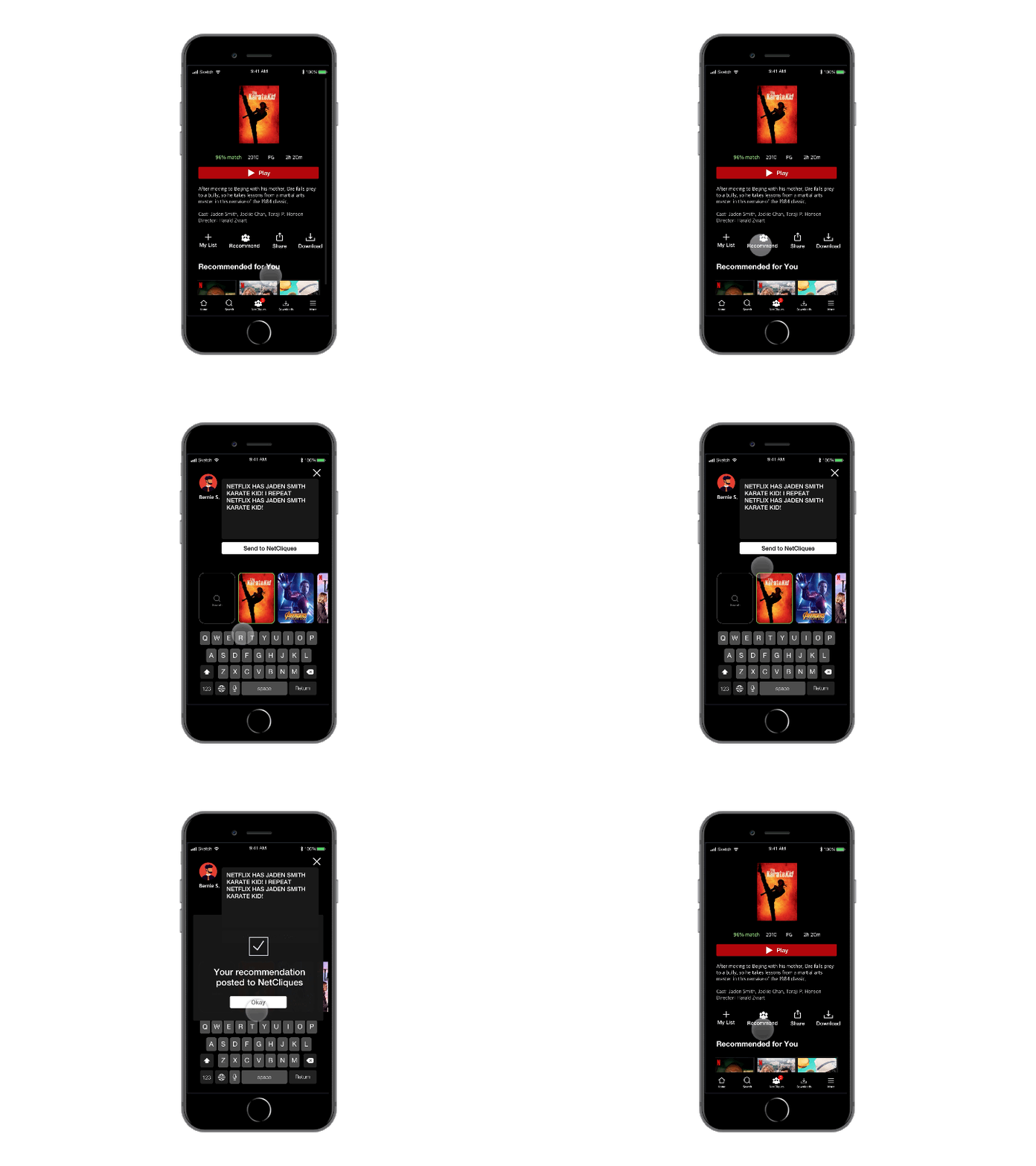
Hi-fi prototype: recommending a title to friends from title detail

Watching a movie and recommending it to friends

After the user watches a movie, or TV show, they have the capability of writing a review and recommending it to their Netflix community.

Once the user writes the review, they will share it to the Netcliques feed where other users will have the opportunity to see and choose to watch and act on the recommendation.

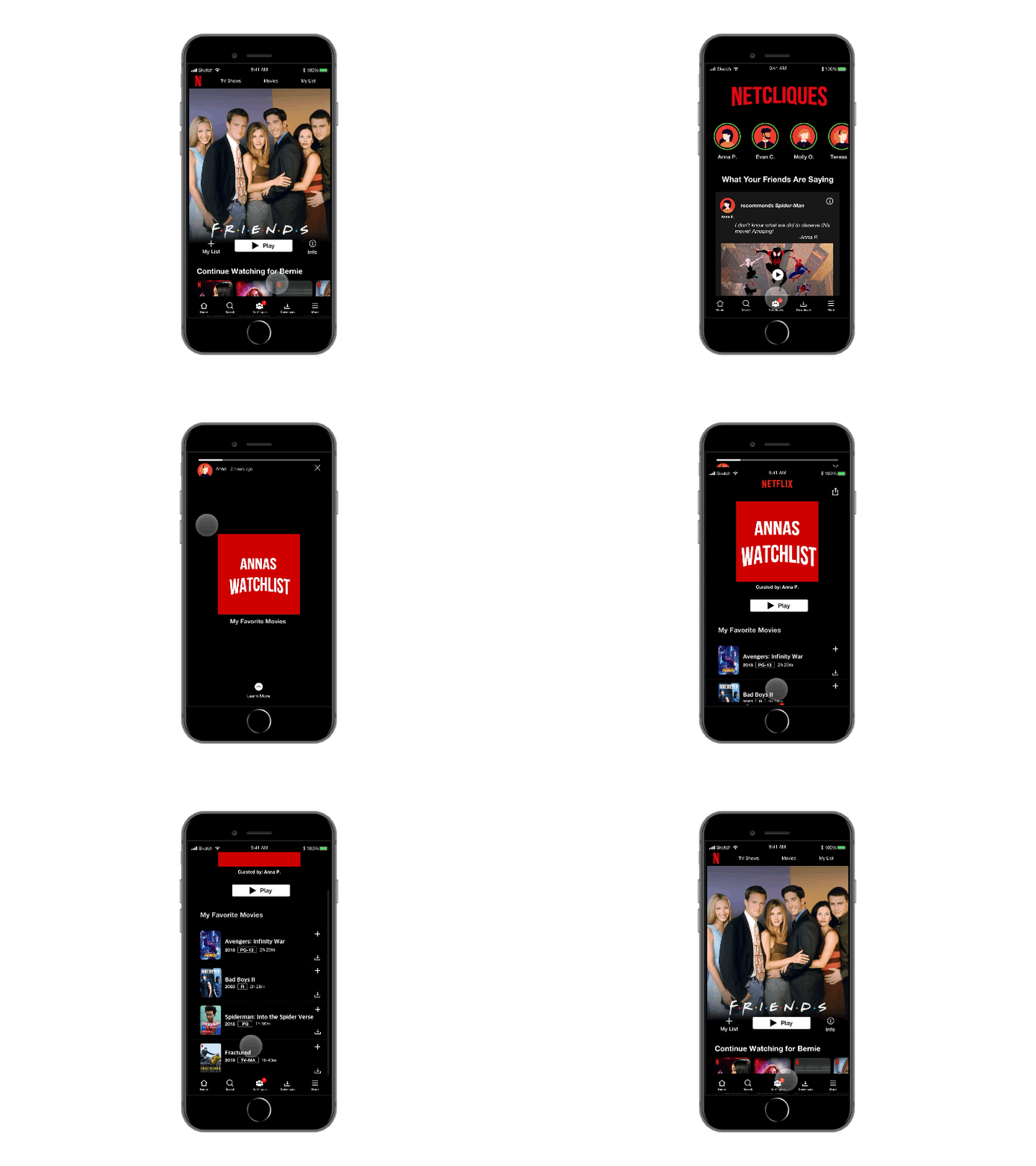
Hi-fi prototype: viewing a friend story and adding titles from a shared watchlist

Viewing a friend's story and adding a movie from their watchlist to your list

Similar to the functionality on Instagram, users are able to create stories of what they are currently watching and they are able to share watchlists with their Netflix community.

When a user views a story, they are able to swipe up and view the contents of the shared watchlist. While viewing the watchlist, the user can add specific movies and tv show to their own list.

Hi-fi prototype: NetCliques feed with friend recommendations

Viewing recommendations on the NetCliques feed and adding one to your watchlist

This new feature, 'The Netcliques Feed' is where users can view recommendations and interact the most with their Netflix community.

On this feed, users can see what other users are sharing about what they are currently watching on Netflix. The users are also able to swipe each card for more information and use a shortcut to start watching or add to their own list.

Next Steps

During this project, I had the opportunity to collaborate with a team and develop a viable solution for the business problem presented. I learned the importance of project management, and the value of working with a multidisciplinary team. Because this was a 2 week sprint, our team did not get to develop everything that this new feature needed, for example the capability and process of adding your Netflix community. Below are the additional components that we would address:

For Future Version Releases

  1. 01

    Present the feature as a smoke screen to social media users to determine the demand

  2. 02

    Explore an integration with Twitter and the use of hashtags

Next project: Ecommerce Information Architecture

VIEW NEXT PROJECT